AI film · MSIG · 2026
Go for it
Two 30-second films for MSIG, made entirely with generative AI. Everything started from a single flat vector of the brand mascot and ended as finished films with dialogue, licensed music and supers. This page breaks down how the first film was made and shares the tools, so you can try the process yourself.
Skater Dad. A dad talks himself out of one skateboard trick until Mamori-chan removes his last excuse.
A new car owner is overly protective of his car that he never actually drives it, until Mamori-chan turns the key for him. It was made with the same pipeline, prompt system and edit process as the first film.
Client
MSIG Singapore
Products
PA Prime Plus and MotorMax
Tools
GPT Image 2, Nano Banana, Seedance 2.0, Claude, After Effects
The idea
Insight
Most of us don’t hold back because something is truly dangerous. We hold back because we have already imagined every way it could go wrong, and that imagined version is almost always worse than the real thing.
Objective
Make insurance feel like permission rather than paranoia, and introduce Mamori-chan, MSIG’s new mascot, to audiences in Singapore.
Big idea
No place for excuses. When someone starts talking themselves out of something, Mamori-chan quietly removes the last excuse. MSIG isn’t there for the worst day. It is the reason you say yes to the good ones. MSIG. Go for it.
The script
The whole film turns on one escalation. Each excuse gets more serious than the last, moving from a fall to a knee to a slip disc to not being able to work. The final excuse lands exactly where PA Prime Plus pays out, so the joke and the product benefit are the same line. The script was written by Anwar and Karn.
The set tells the backstory
Nine old decks hang on the wall, and one of them is snapped clean in half but kept anyway. Nobody has to say that he used to skate.
Plant the payoff in frame one
A brand-new board sits untouched on the sofa for the entire first scene. The ending is already in the shot before anyone reaches for it.
The mascot gets one move
Mamori-chan nudges the board forward by an inch. She doesn’t sell anything. She simply removes the excuse.
Characters & Location
A video model has no memory. Every shot is generated from scratch, so identity has to be carried in by references. Each character and location is a pair made of a locked reference image and a text description that is pasted word for word into every prompt. I made the character sheets for Faizal and Adam with GPT Image 2.
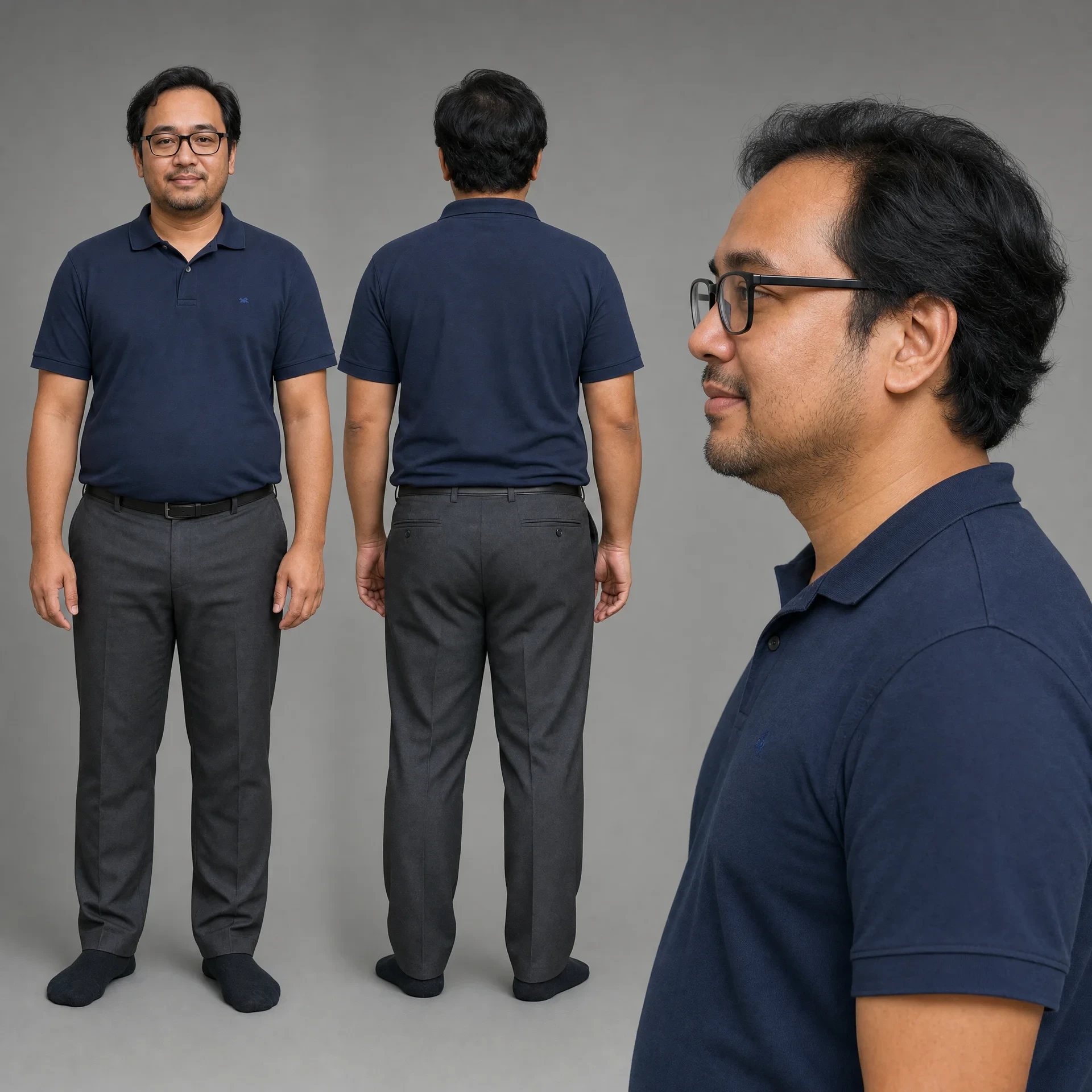
Faizal, early 40s. Front, back and profile, made with GPT Image 2.
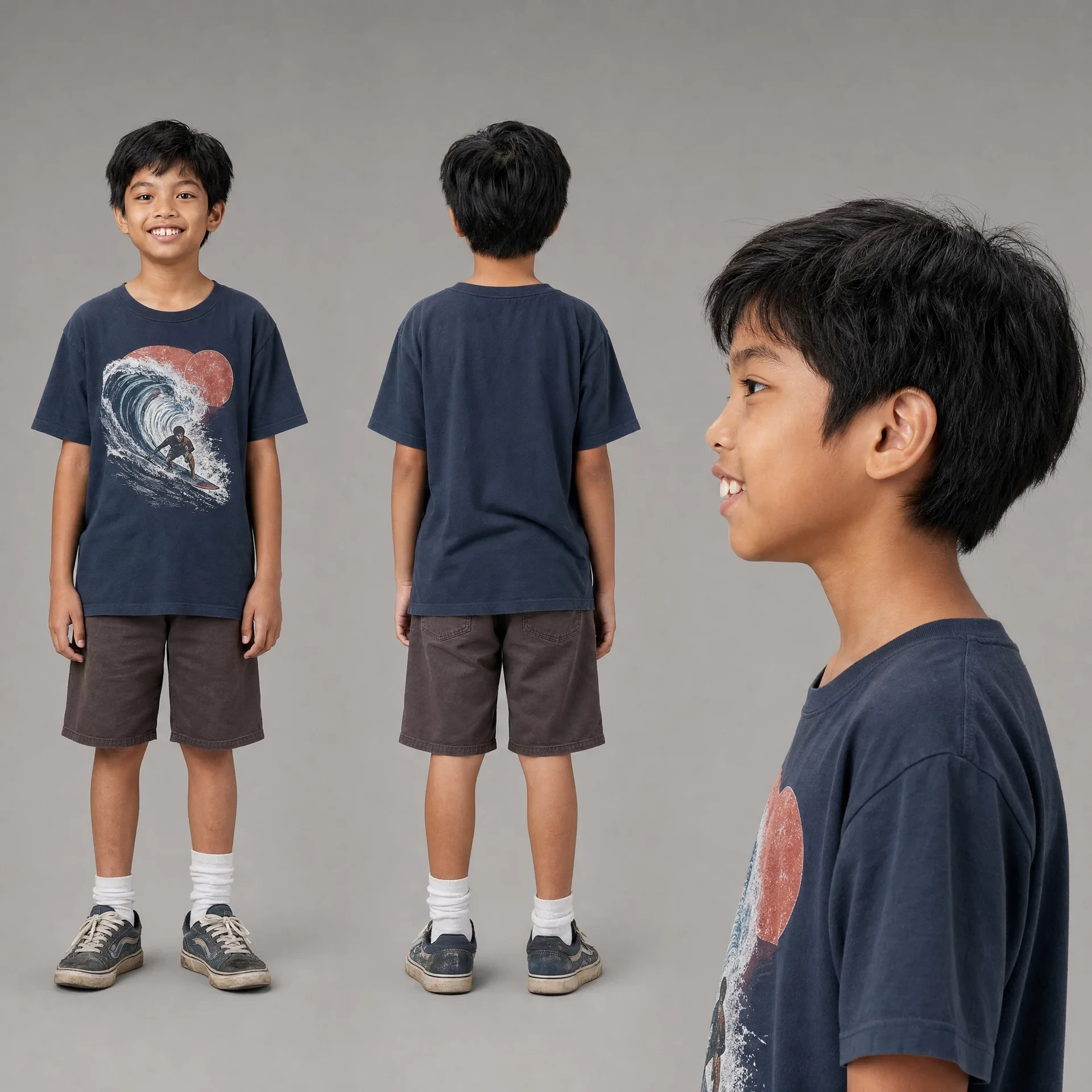
Adam, 9. Front, back and profile, made with GPT Image 2.
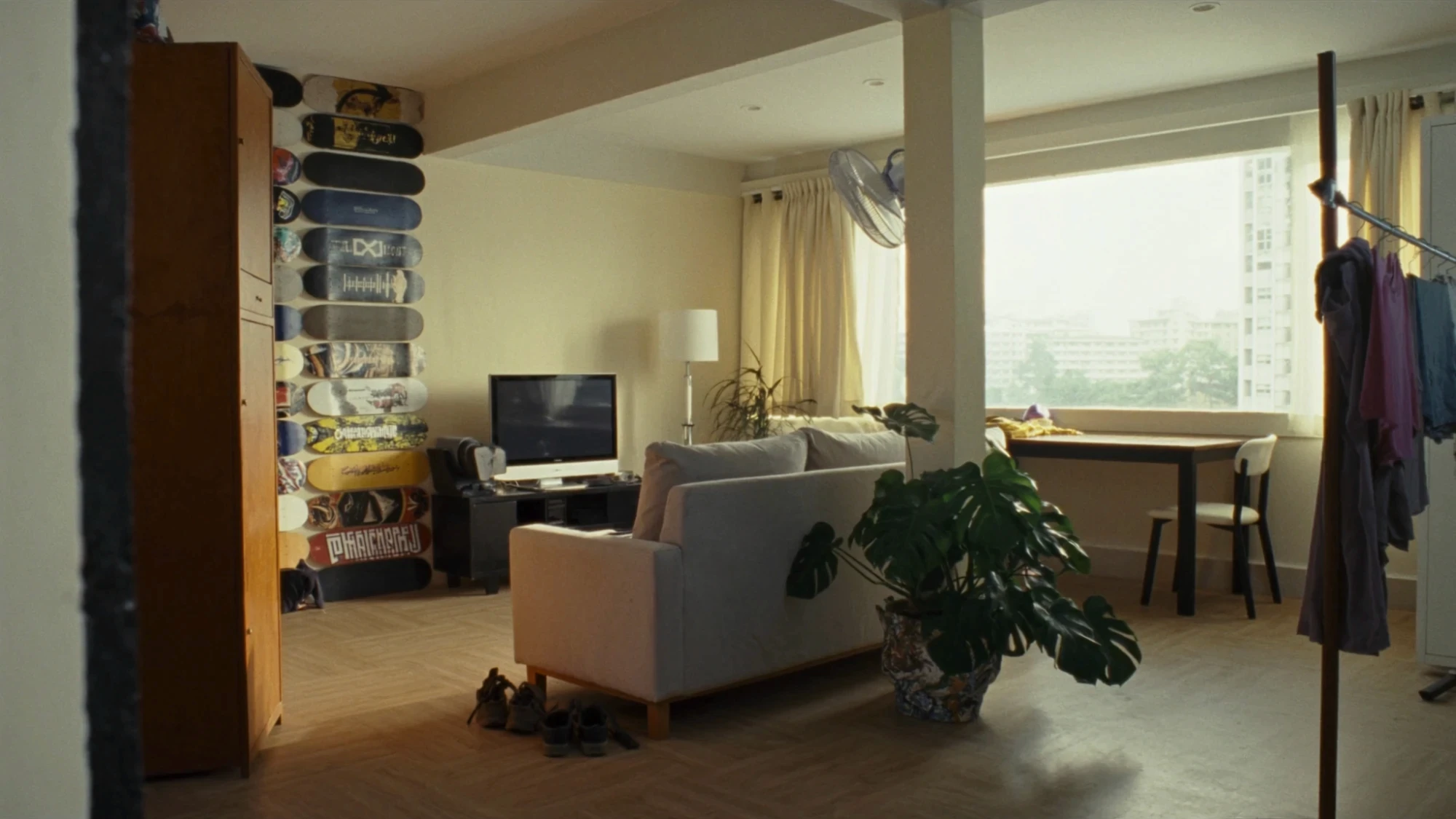
The living room location reference, complete with the wall of old decks.
From one flat vector to a 3D mascot
The only asset the client had for Mamori-chan was a flat vector showing her front and back. To put her on a real sofa in a real HDB flat, she needed volume, material and a side profile that nobody had drawn yet. I used Nano Banana to turn the vector into a plush turnaround with front, back and profile views, while keeping every brand detail intact. That includes the sakura petals, the gold crown, the red cheeks and paws, and the MSIG logo. The turnaround then became the reference that the video model anchors to. The prompt I used is below.
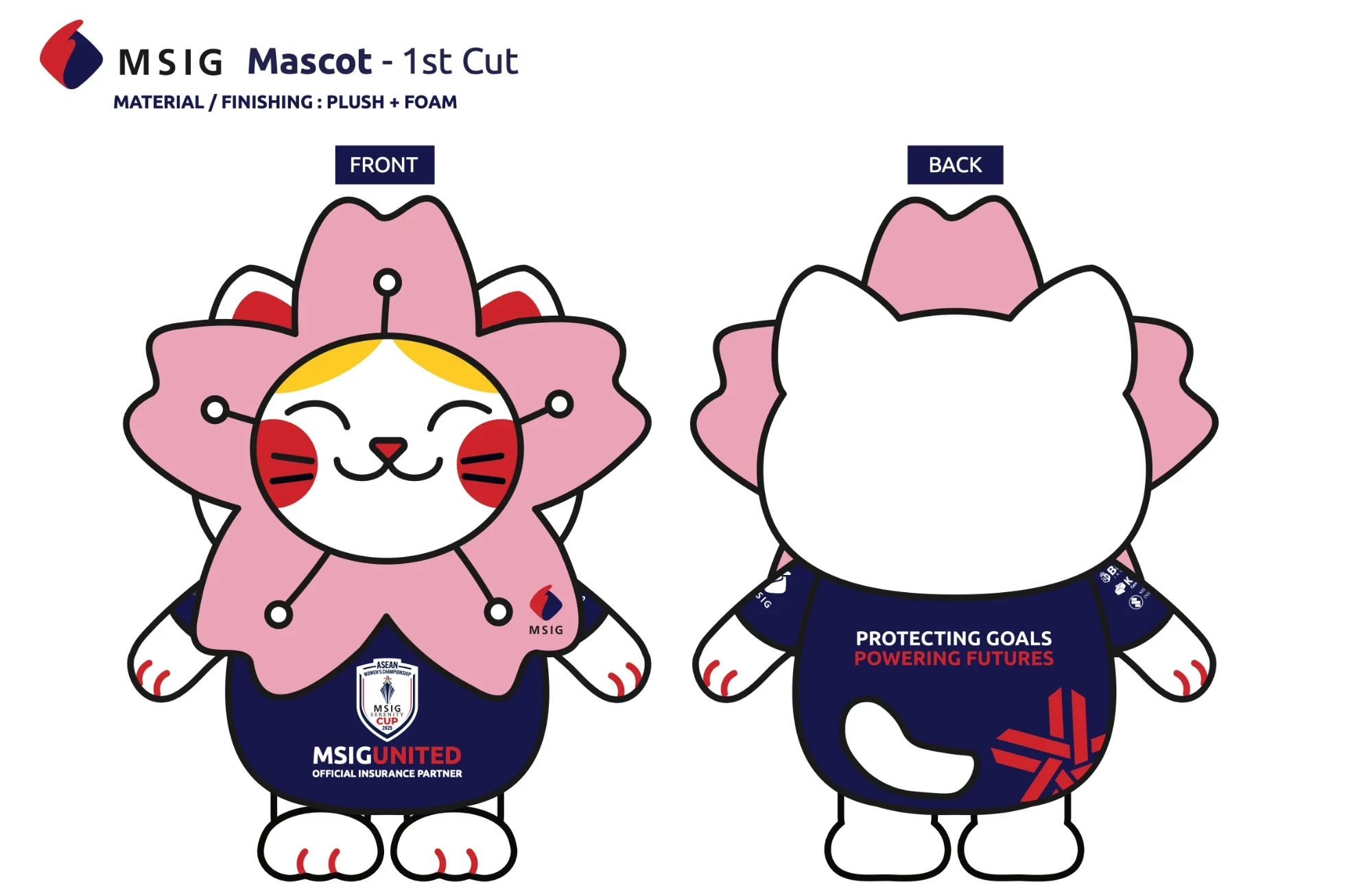
Client input: one flat vector, front and back.
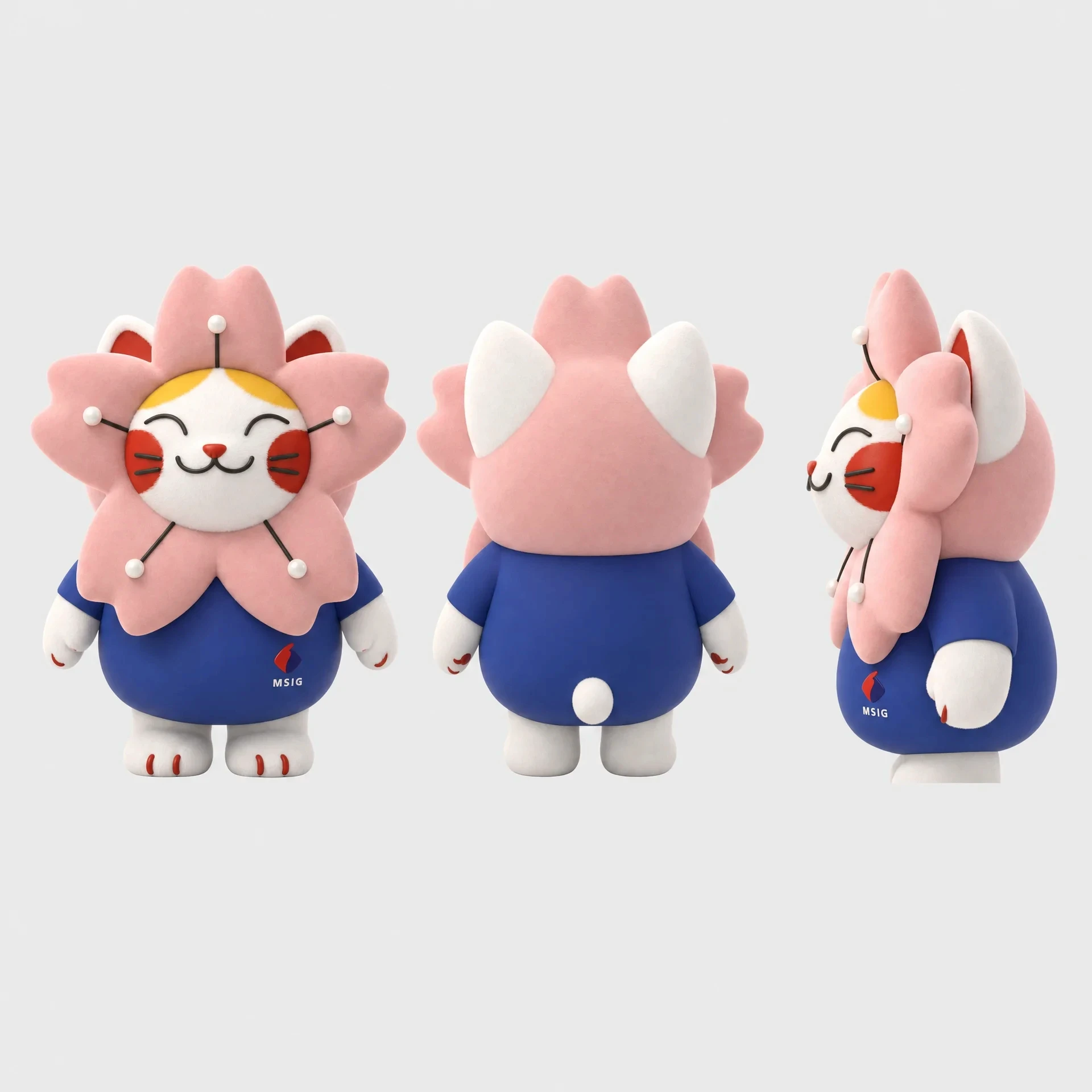
Output: a 3D turnaround made with Nano Banana.
Prompting
I ran the script through Claude with CINEDANCE, a prompt-direction skill made by Higgsfield Studio for Seedance 2.0. It turns a scene into something closer to an engineering document than a piece of copy. Every shot is written in the same order, covering references, location map, first-frame blocking, optics, camera, timed action, performance, physics, light, audio and locks. You can download the skill below or copy the real prompt for the opening scene.
Decisions inside the prompt
Direct the camera in numbers
The prompt asks for a 63° lens and a dolly moving at 0.15 km/h over 50 cm. Physical numbers hold steady from take to take, while adjectives like “slow push” tend to drift.
Direct behaviour, not emotion
Instead of asking for a worried dad, the prompt says he loses the joke somewhere in the third excuse and his eyes flick down to his own knee. The emotion comes out of the action.
Lock what must not move
His glasses stay on, the new board stays untouched, there is one light source at 5600K, and only two people are in the room. Every lock is a failed take avoided.
Write local
The prompt specifies an HDB flat, herringbone parquet, shoes on the rack by the door and a line like “Aiyah, cannot la”. Those specifics make the film feel like Singapore rather than stock footage.
Generate, cut, repeat
No shot landed on the first try. On average each shot took about four generations before it held. The film then came together the way a live-action edit does, with one difference: any shot could be regenerated.
01
Assembly
Every scene went in script order so I could see the whole film and spot the gaps.
02
Rough cut
I worked on rhythm and trims. When a beat didn’t land, the fix went back into the prompt rather than staying on the timeline.
03
Regeneration
Drifting faces, extra fingers and a board that moved on its own were all regenerated until each take held.
04
Picture lock
The picture was fixed at this point, and there were no new generations afterwards.
05
Post
Every generated shot arrives with its own look, so the grade brought them together into one. I licensed a music track and rebuilt it from its stems into a custom 30-second edit, then added sound design, supers, the PA Prime Plus product window and the end card in After Effects.
What I took away
01
When the client only has a vector, the character sheet becomes the real deliverable.
02
Plant the payoff in the first frame. Models don’t infer setups, so you have to put them in the shot yourself.
03
Treat every prompt as an island. The model has no memory of the previous shot, so everything has to be spelled out every time.
04
Describe what you want rather than what you want to avoid. Naming something, even inside a “no”, tends to summon it.
AI direction, character development, edit and post by Farhan Haniff. Script by Anwar and Karn. Prompt skill: CINEDANCE V4 by Higgsfield Studio. Brand and mascot by MSIG.